Know where your money goes
A fast, native Mac app for income and spending. Coming soon to iPhone. Your data stays on your Mac and in your private iCloud.

- Free
- macOS 26 or later
- English and Ukrainian
- No account needed
Or download the Mac app directly · version 1.2 (27).


The highlights.
-
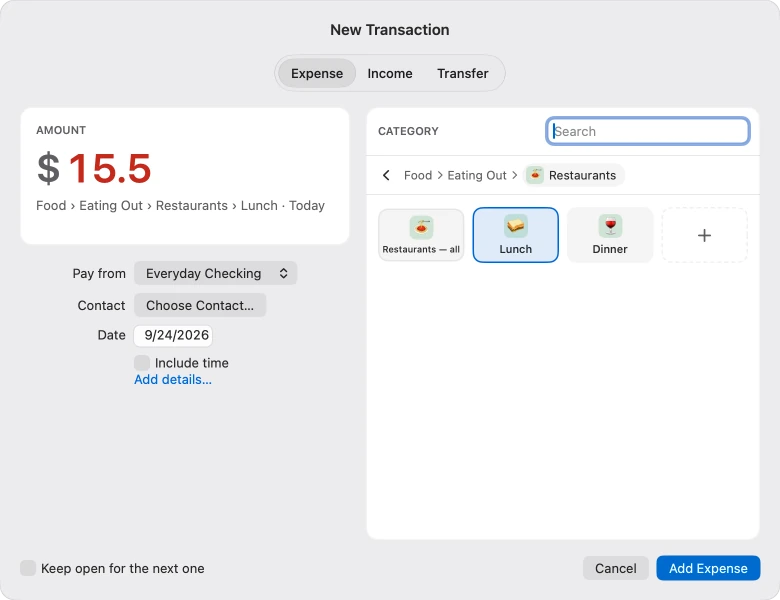
Written down in seconds.
-
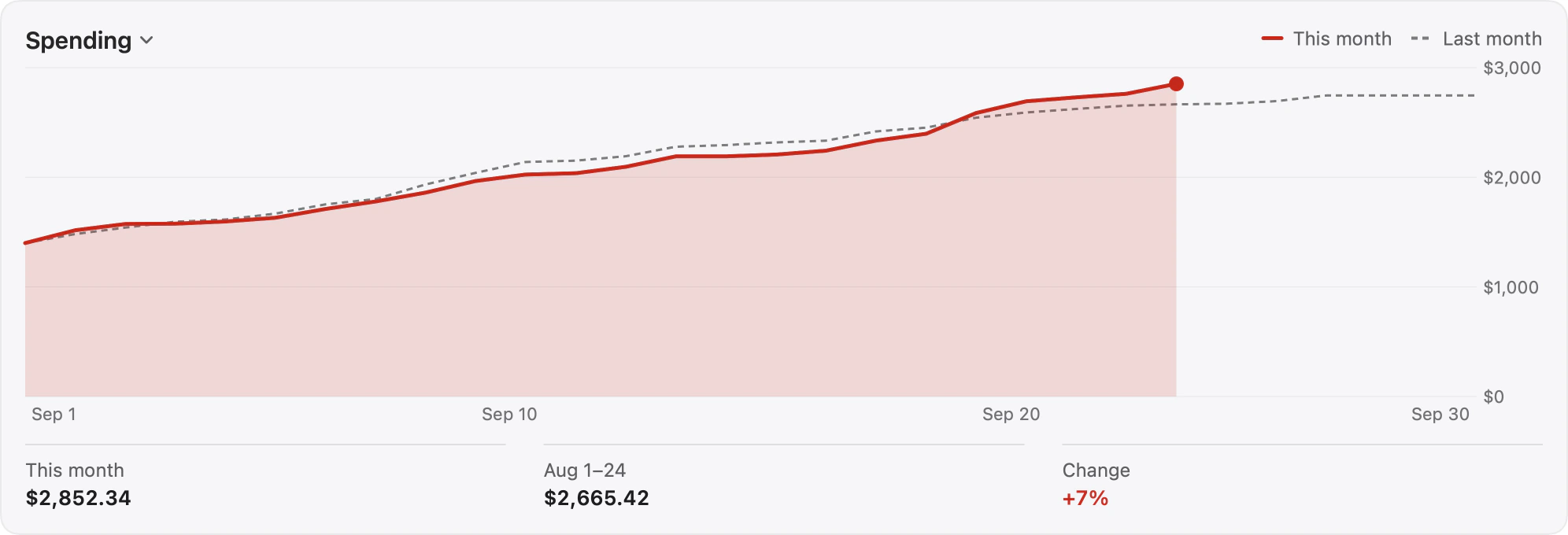
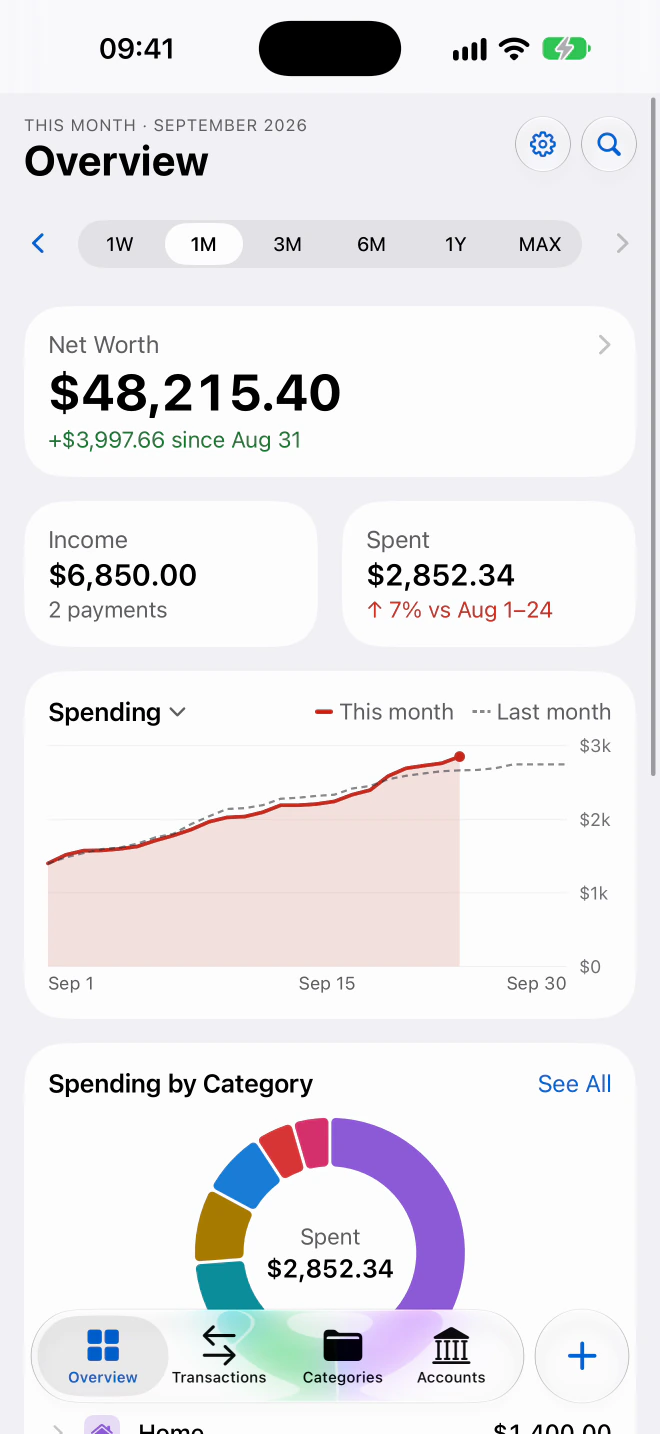
Red when you spend more than last time. Green when less.
-
Coming soon to iPhone
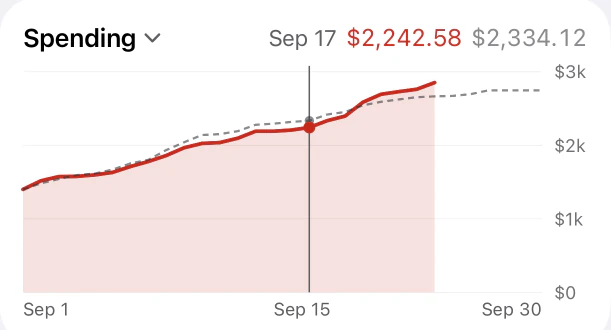
Touch a chart to read each day.
-
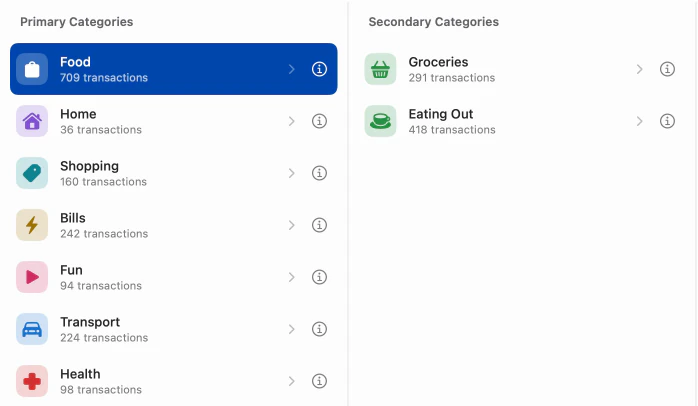
Categories up to four levels deep.
-
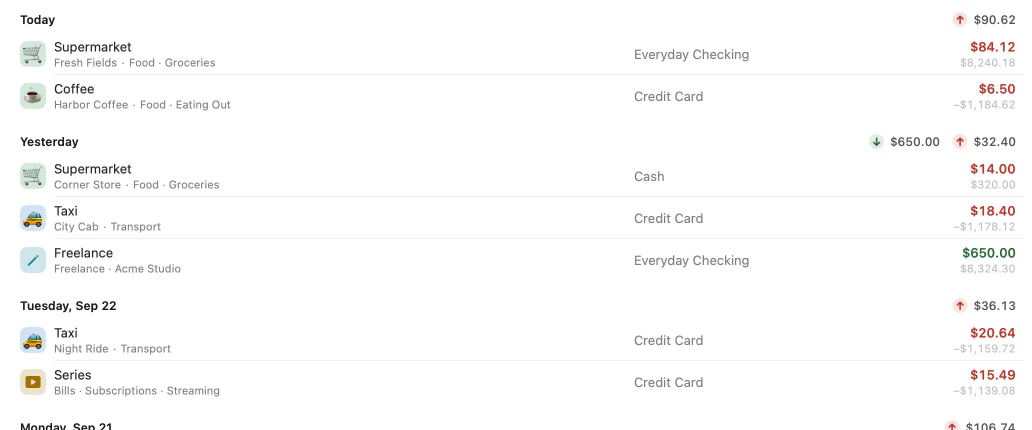
The balance after each transaction.
-
Hide balances with one shortcut.
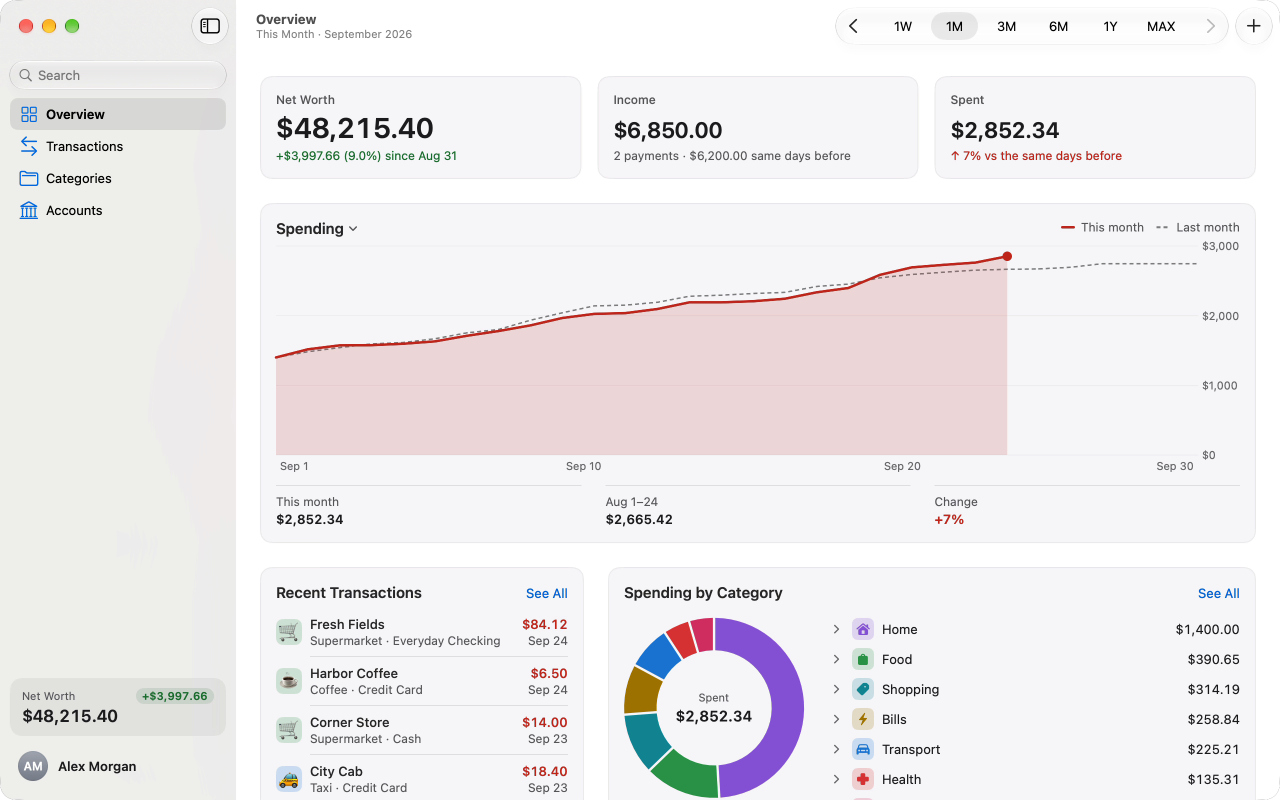


Type an amount, pick a category, and it’s written down. Then see your net worth, income and spending for any period — next to the same days of the period before.
Write it down. See it add up.


Written down in seconds
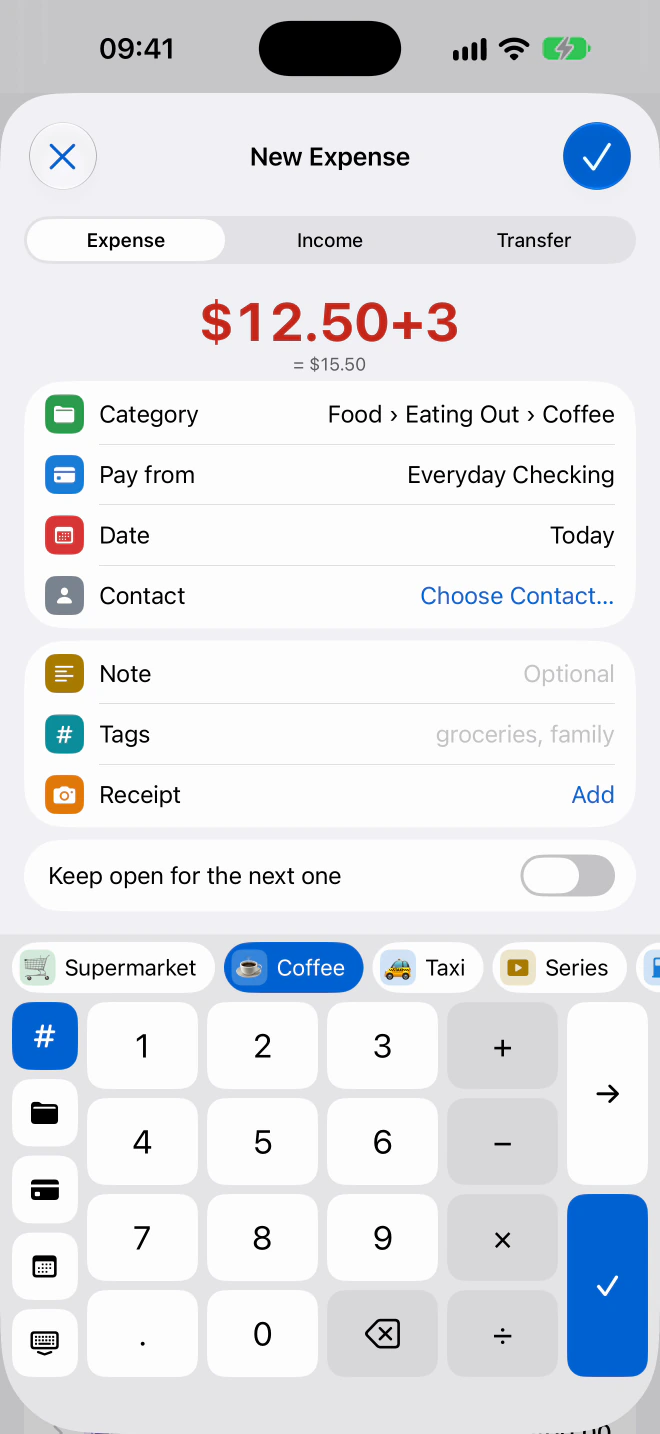
Type the amount — 12.50+3 works — and pick a category. On the Mac, ⌘N opens a new transaction from anywhere; on the iPhone, the keys are under your thumb.
Every transaction, day by day
Expenses, income and transfers, with the balance after each. Add notes, tags, receipts and a person from Contacts. On the Mac, every change can be undone.
See where you stand
Net worth, income and spending for any period, next to the same days of the period before. The chart turns red when you spend more than last time, green when you spend less.

Categories the way you think
Up to four levels, each with a color and an emoji, a symbol or your own picture. Spending by day, week or month, its share of the total and a comparison with the period before.
Accounts and currencies
Cash, bank accounts, credit cards, savings, investments and loans, each in its own currency. Totals in your main currency, at the official rates of the National Bank of Ukraine for the currencies it publishes.
Overview, up close
-
Where you stand, in three numbers
Net worth, income and spending for the period, each beside the same days before.
-
This month against last
The chart turns red when you spend more than last time, green when you spend less.
-
Where it went
Every category’s share of what you spent. Click one to see every transaction behind the number.


Coming soon to iPhone
A keyboard of its own
-
It does the arithmetic
Type 12.50+3 and the sum stands under it: $15.50.
-
Recent categories, above the keys
The categories you used lately sit above the keys, and search finds any other as you type.
-
Category, account and date, a tap away
They are on buttons beside the keys, under your thumb.

One ledger, two devices
Your Mac and your iPhone show the same ledger through your private iCloud. Finance for iPhone is on its way to the App Store.

Private by design
- No sign-up. No ads. No tracking.
- No Finance servers. No account to create.
- Your data lives on your Mac and in your private iCloud. The developer can’t read it.
More on the Mac
-

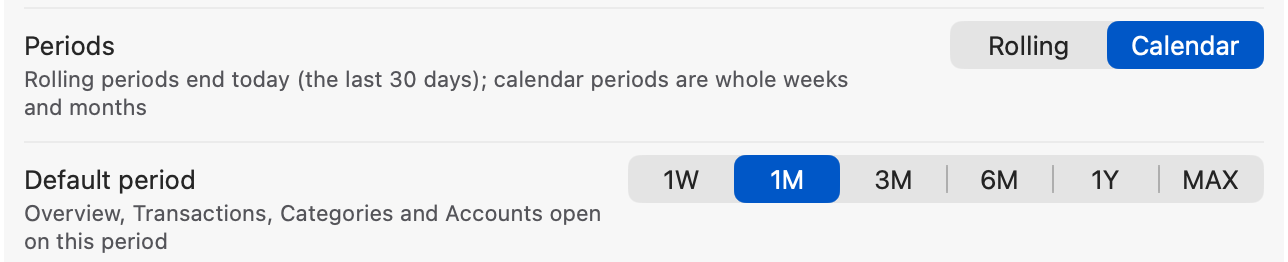
Rolling periods
The last 7, 30 or 90 days, 6 months or a year, ending today. Calendar periods stay a choice in Settings.
-
Hide balances
When someone can see your screen, one switch turns what your accounts hold into dots — ⇧⌘B on the Mac.
-
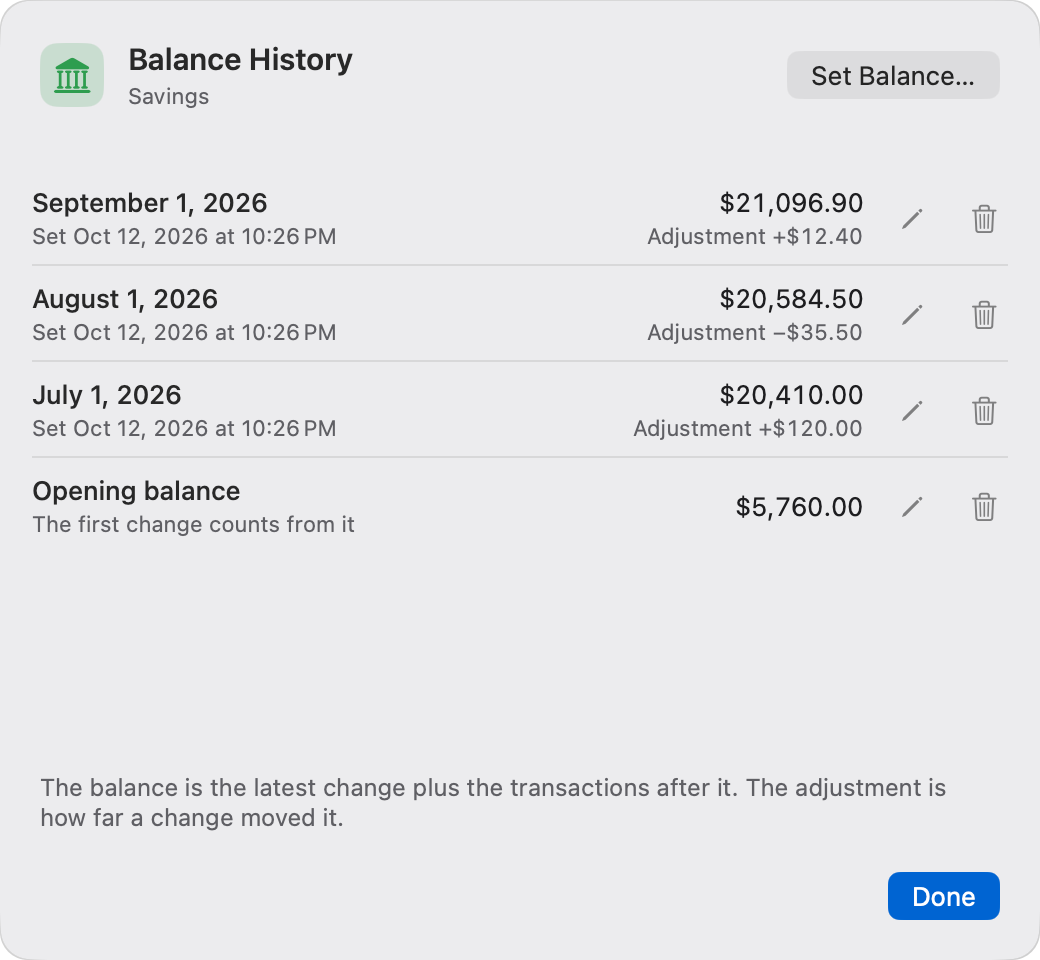
Balance History
Every balance change of an account, with what it adjusted. Fix its day or amount, or delete it.
-
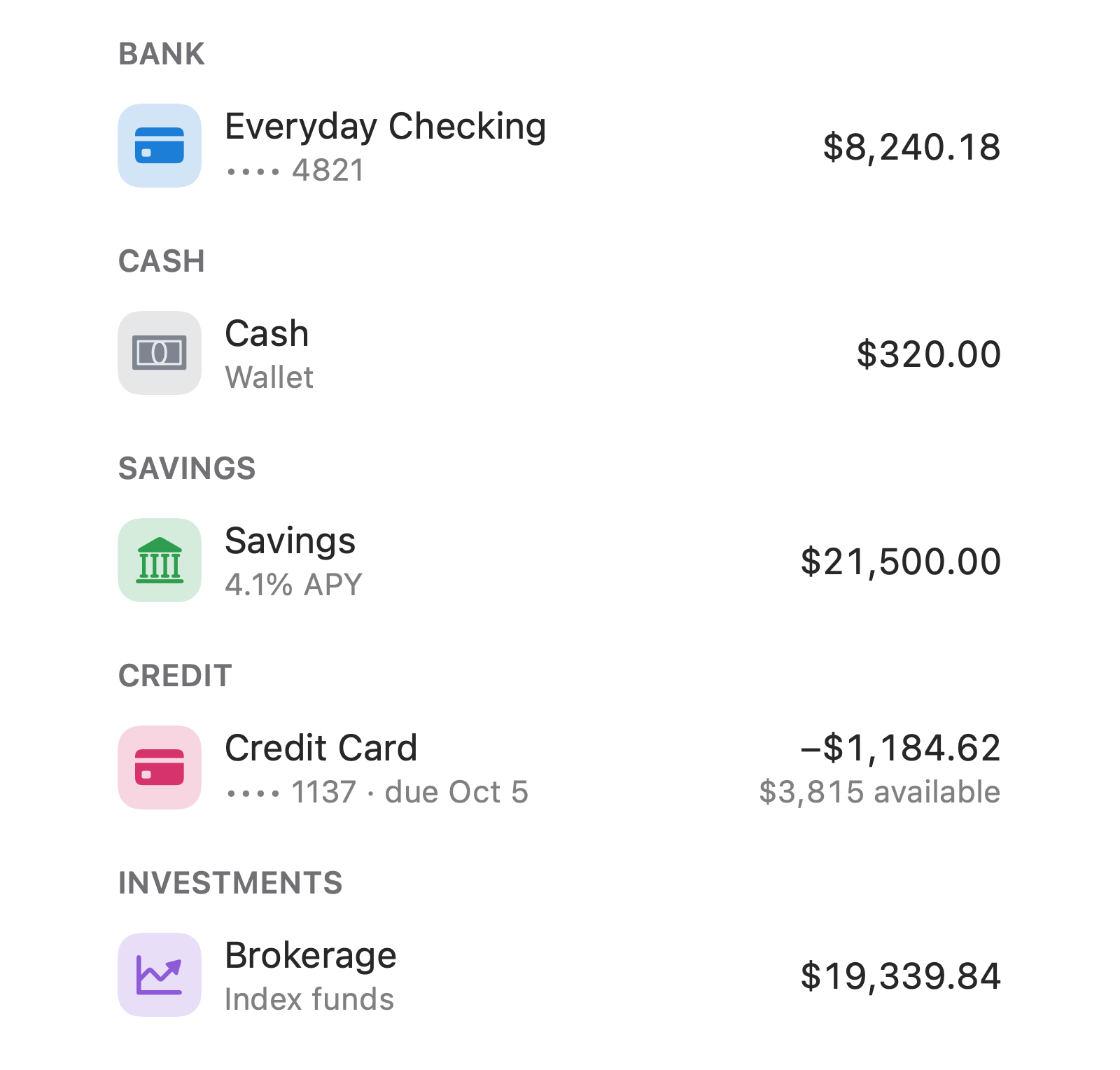
Accounts by kind
Bank, Cash, Savings, Credit and Investments, each in a group of its own.
-

Totals you can trust
A currency without an exchange rate is left out and marked, not counted one to one.
-
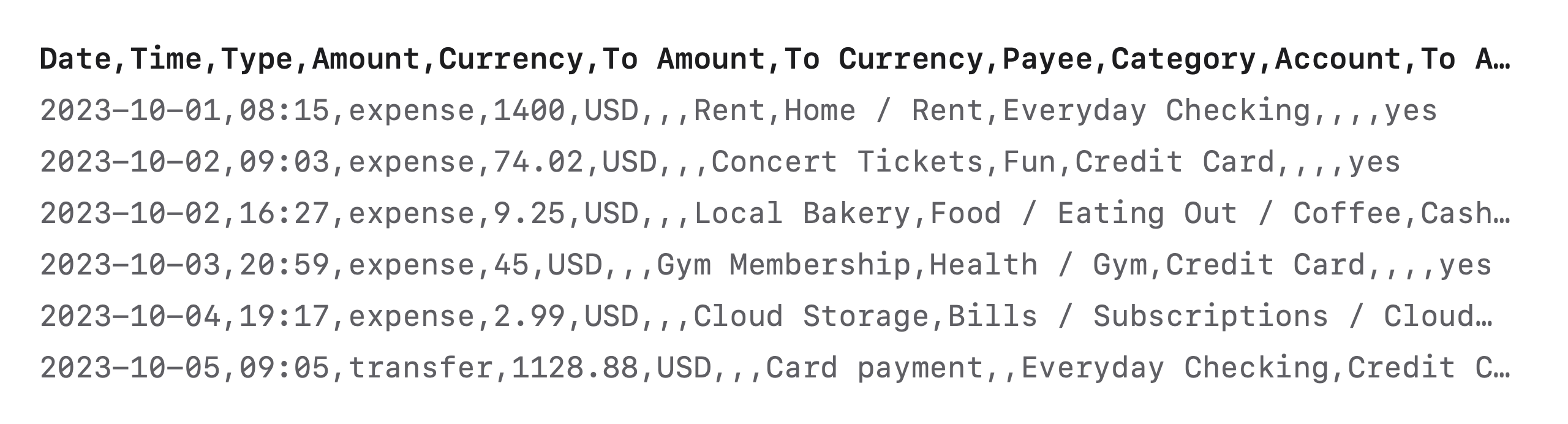
Backup and CSV
Back up everything to a folder you choose. Export transactions as CSV.
-
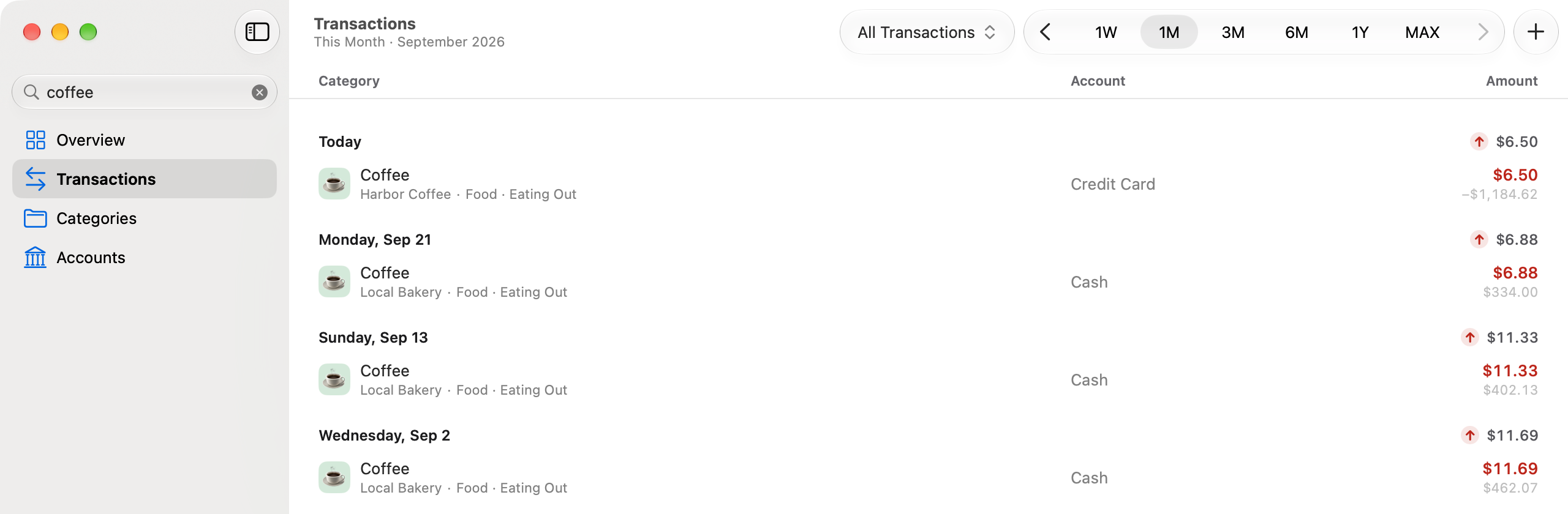
Instant search
Across notes, categories, accounts, people and amounts.
-


English and Ukrainian
A native interface in light and dark.


Know where your money goes
- Free
- macOS 26 or later
- English and Ukrainian
- No account needed
Or download the Mac app directly · version 1.2 (27).